

Refrigerator Control Board: 6 Failure Signs, 5 Rule-Outs and 5 Replacement Steps
What Does the Control Board Do?
The control board is the circuit board that reads the temperature sensors and switches the compressor, the fans, the defrost heater and the display. Brands also call the part the main board, the PCB or the electronic control. Mechanical models use a dial thermostat and a timer instead of a board. The board stores the settings and the fault codes. A fault in the board can stop cooling even when every other part is sound. The codes that the board shows on the display are explained in refrigerator error codes by brand.
What Are the Signs of a Failing Control Board?
Six signs point to a failing control board.
- A dead or blank display
- Random cycling or cooling that ignores the set temperature
- No cooling while the light or the display stays on
- Controls that do not respond
- Error codes that return after a reset
- Burn marks or a burnt smell at the board
Several of these signs also come from simpler faults, so rule those out first.
What does a dead display mean?
A dead display with a running compressor points to a display fault, and a dead display with no sound points to a power or board fault. Check the power supply before suspecting the board.
Why do error codes return after a reset?
Codes that return after a reset point to a persistent fault in a sensor, a fan or the board itself. The meaning of each code comes from the manufacturer documentation, as explained in refrigerator error codes by brand.
What Simpler Faults Should You Rule Out First?
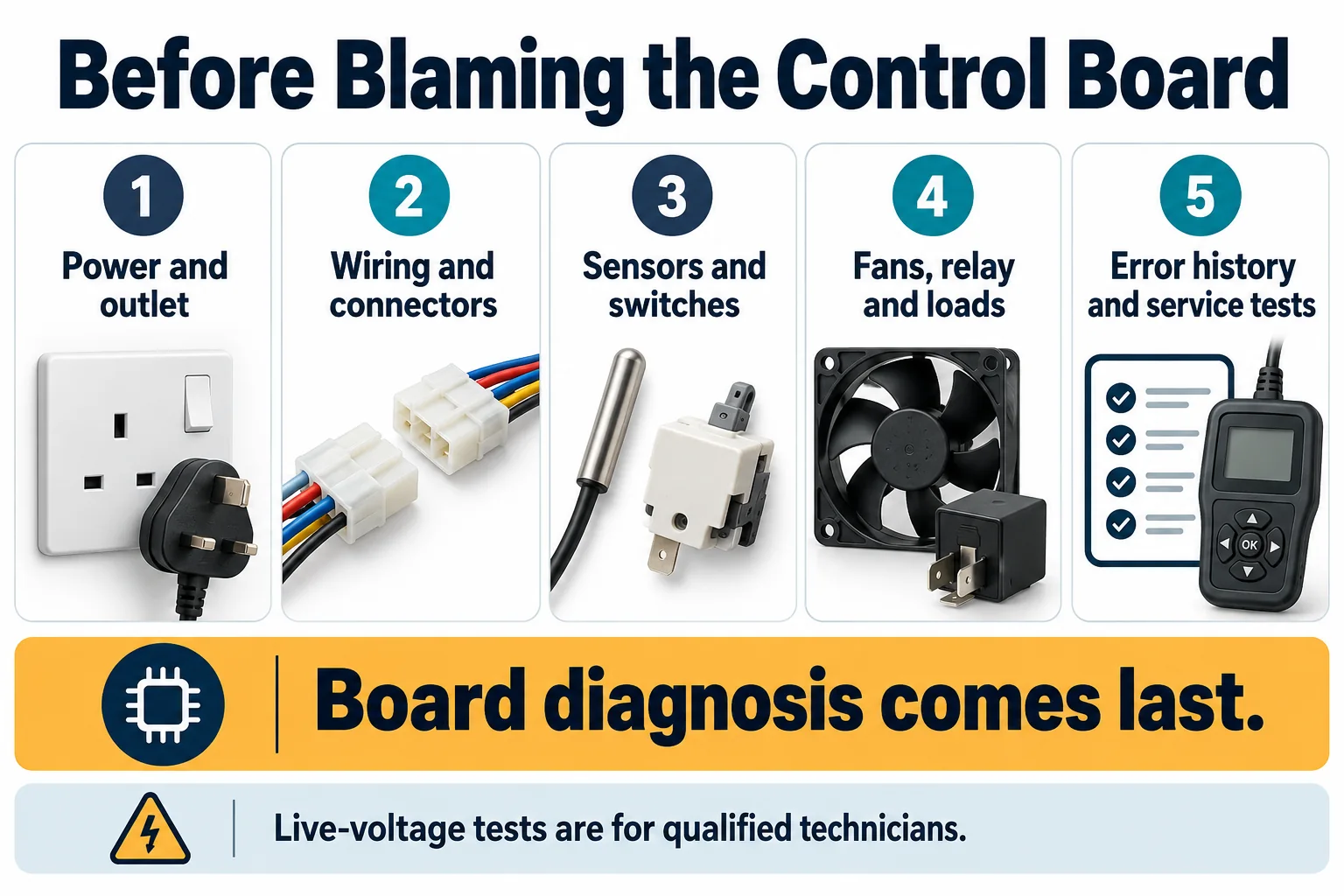
Five simpler faults mimic a board failure, so rule them out first.
Safety notice: Unplug the refrigerator before touching any part behind a panel. Stop at the checks below. Electrical testing, refrigerant handling and sealed-system work belong to a technician.
- Confirm power at the outlet and the circuit breaker, as explained in refrigerator not running or starting.
- Turn off demo mode and confirm the temperature settings against the manual.
- Rule out a temperature sensor, thermostat or damper fault, as explained in refrigerator thermostat, thermistor and damper problems.
- Confirm that the door switch registers a closed door.
- Check that the harness connectors are fully seated at the board and at the parts.
Reseat any loose connector with the unit unplugged, and inspect the harness for chafed or melted insulation. A power outage can also reset the settings, so restore them before suspecting the board. Record each result, because the technician uses the record to skip repeated tests.
How Is a Control Board Fault Confirmed?
A technician confirms a board fault by testing the inputs and the outputs and finding no other failed part. The board is the last part tested, because replacing it costs more than replacing the parts that mimic its failure.
Why is the board tested last?
The board is tested last because the parts it controls, the sensors, the switches and the loads, usually cost less than the board. A board that tests sound with every input and output correct points back to a sensor or a load.
What does a technician check?
A technician inspects the board, measures the supply voltage at the board and compares the sensor signals and the load outputs with the manufacturer specification. The technician also checks the ground connection and the harness continuity between the board and the loads. Burn marks, swollen parts, corrosion and water damage show a failed board without any other test. Record every code before testing. Difficulty: technician-assisted.
What does the diagnostic mode show?
The diagnostic mode, which brands name differently, cycles the loads and displays fault information. The entry steps and the meanings come from the manufacturer documentation for the model, and no code should be taken from memory.
Can a Reset Fix a Control Board Fault?
A power reset clears some temporary board faults, and a fault that returns after the reset points to a failed part. Unplug the refrigerator, wait for the time that the manual states and plug it in again. A reset also clears stored codes, so photograph the codes first. Do not reset repeatedly in the hope that the fault clears, because each reset erases the stored codes that the technician needs. The full steps, including the brand-specific sequences, are in how to reset a refrigerator.
How Is a Control Board Replaced?
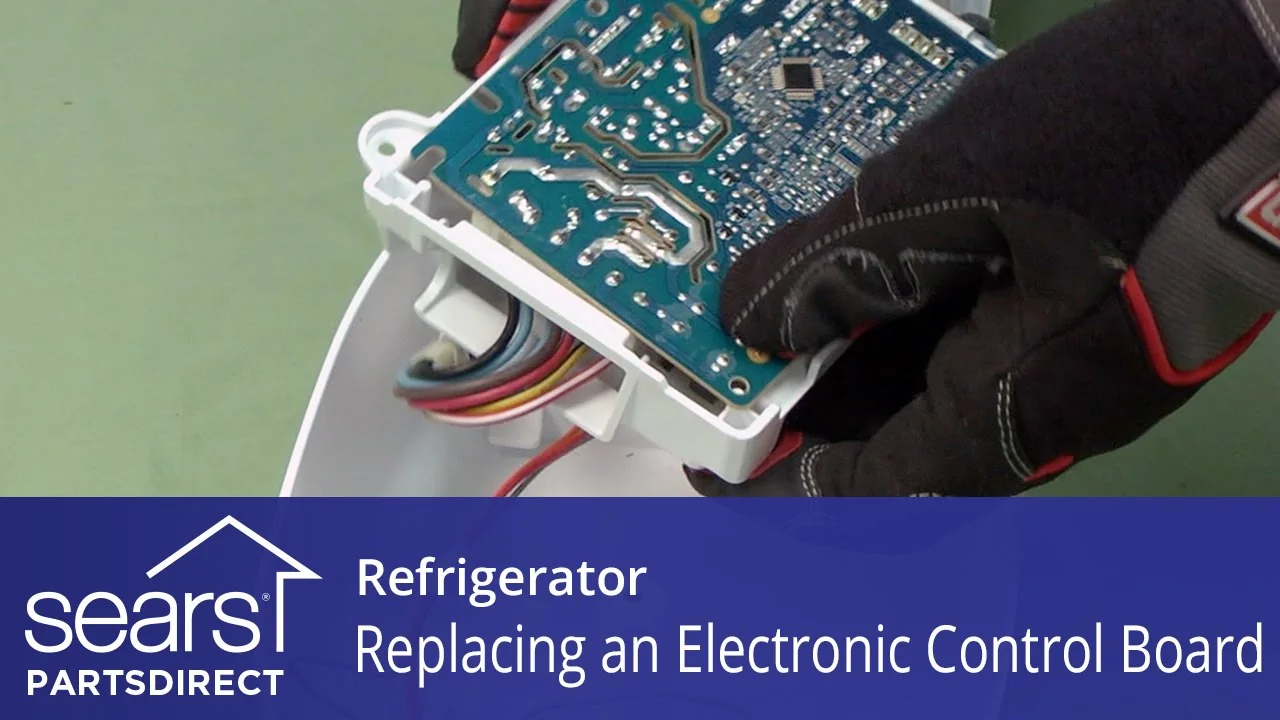
Replace the board with the part that matches the refrigerator model number and the board revision, because boards differ by model. Use the model-number part list in the manual or from the manufacturer, and compare the new board with the old one. Five steps complete the replacement:
- Unplug the refrigerator and photograph the old board and every connector.
- Disconnect the harness connectors one at a time, without pulling on the wires.
- Remove the old board and compare it with the new board.
- Mount the new board and reconnect each connector in its original position.
- Refit the cover, plug in the refrigerator and check the display for codes.
Handle the board by its edges, and touch a grounded metal part first to discharge static electricity. Do not touch the solder side or the components. Keep the old board until the repair is confirmed. Replace the board only after a technician confirms the fault. Difficulty: technician-assisted.
Is a Control Board Replacement Worth It?
A board replacement suits a younger refrigerator, and the quote compared with the age and the price of a new unit decides. A board replacement on an older refrigerator buys less remaining service, so weigh the cost against the remaining life. Ask the technician for a written quote that separates the board, the labor and the diagnostic fee. Ask whether the board comes with a warranty on the part. The cost drivers for repairs are listed in refrigerator repair cost. The full decision method is in repair or replace a refrigerator.
What About Smart-Refrigerator and Display Faults?
Smart refrigerators add Wi-Fi modules, touch displays and software, and a fault in these parts can mimic a board fault. In many models the Wi-Fi module and the display are separate from the cooling controls, so a connection fault does not stop cooling. Restart the network connection and check the display separately from the cooling. A power surge can damage the board, so ask a technician about suitable protection.
What Do People Also Ask About a Refrigerator Control Board?
How do I know if my refrigerator control board is bad?
Random cycling, a dead display or no cooling with normal power, after the sensors and the settings pass, points to a bad control board.
Can a power surge damage a refrigerator control board?
A surge can damage the board, so ask a technician about suitable protection for the refrigerator.
Is a control board replacement a DIY repair?
A board replacement is technician-assisted, because the diagnosis must rule out other parts before the board is replaced.
What happens if I reset the control board?
A reset clears temporary faults and stored codes, and a fault that returns needs diagnosis, as explained in how to reset a refrigerator.
Why does my refrigerator display work but the refrigerator does not cool?
A working display with no cooling points to a sensor, a relay, the compressor start parts or the board, so test those parts in that order.

Hi, I’m Ryan, a refrigeration engineer based in the UK Midlands. I’m passionate about engineering, technology, and understanding how things work, especially when it comes to heating, ventilation, air conditioning, and refrigeration systems.
I enjoy the hands-on side of engineering, from working with technical equipment to exploring practical solutions to everyday challenges. For me, engineering is more than just a profession; it’s about problem-solving, continuous learning, and developing valuable technical skills.
I also enjoy sharing glimpses of the engineering world through my Instagram page, @hvac.razza, where I showcase tools, equipment, and aspects of HVAC work.
Outside the technical side of things, I value genuine connections, meaningful conversations, and opportunities to learn from others. I’m always interested in connecting with people who share an appreciation for technology, practical skills, and personal growth.